

How to Print Explanatory Stickers
1
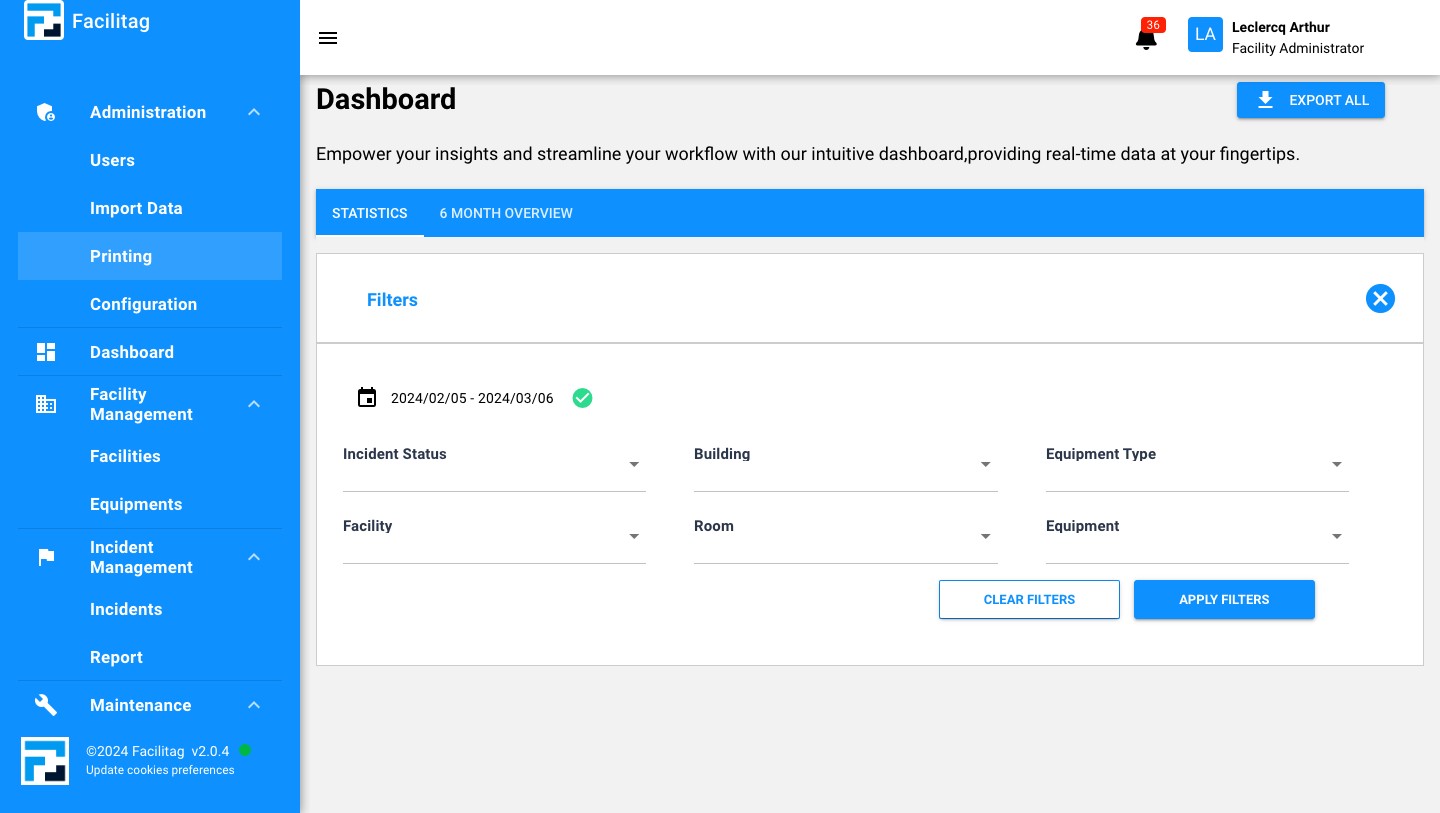
Click on "Printing"
2
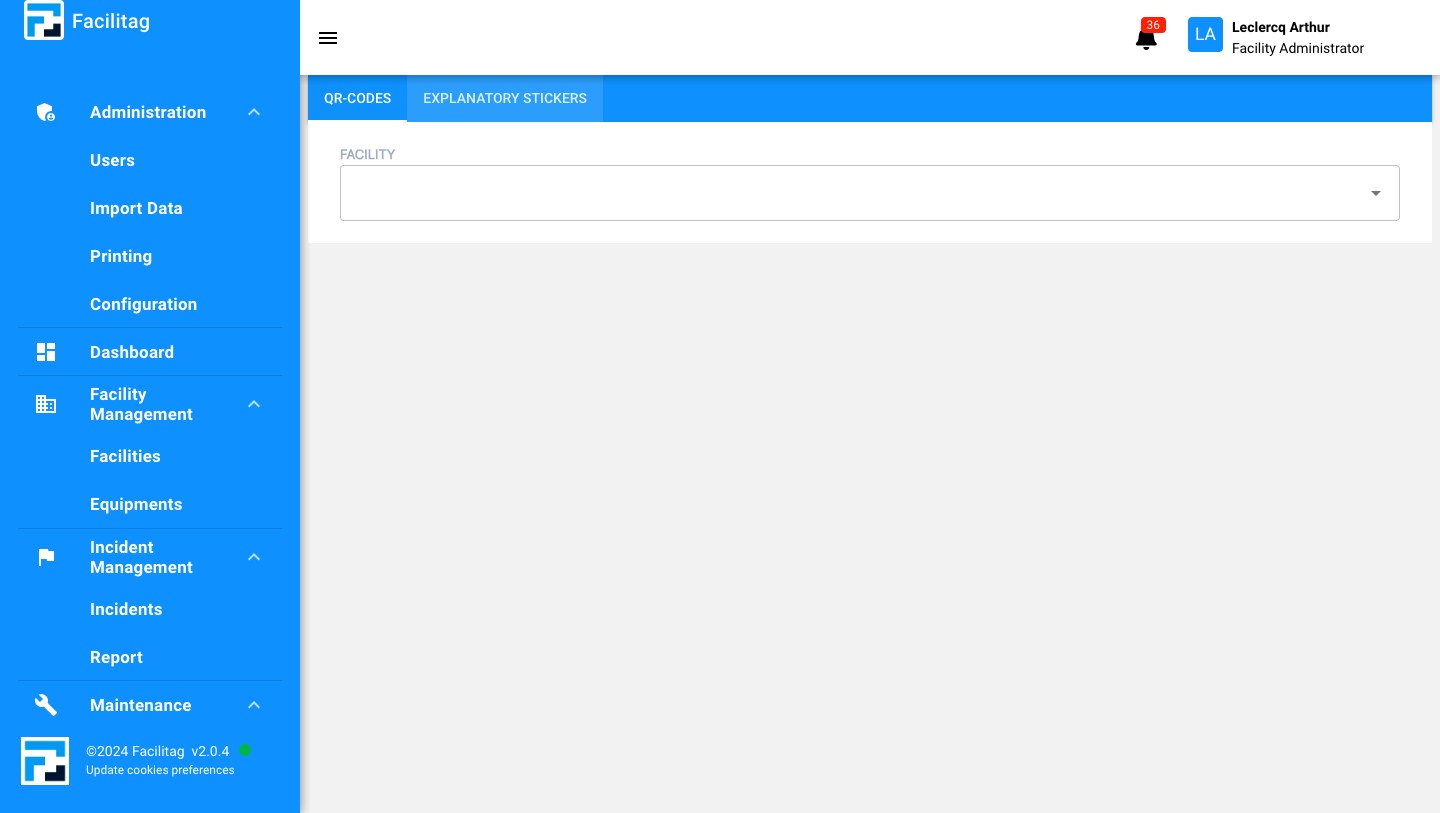
Click on "Explanatory stickers"
3
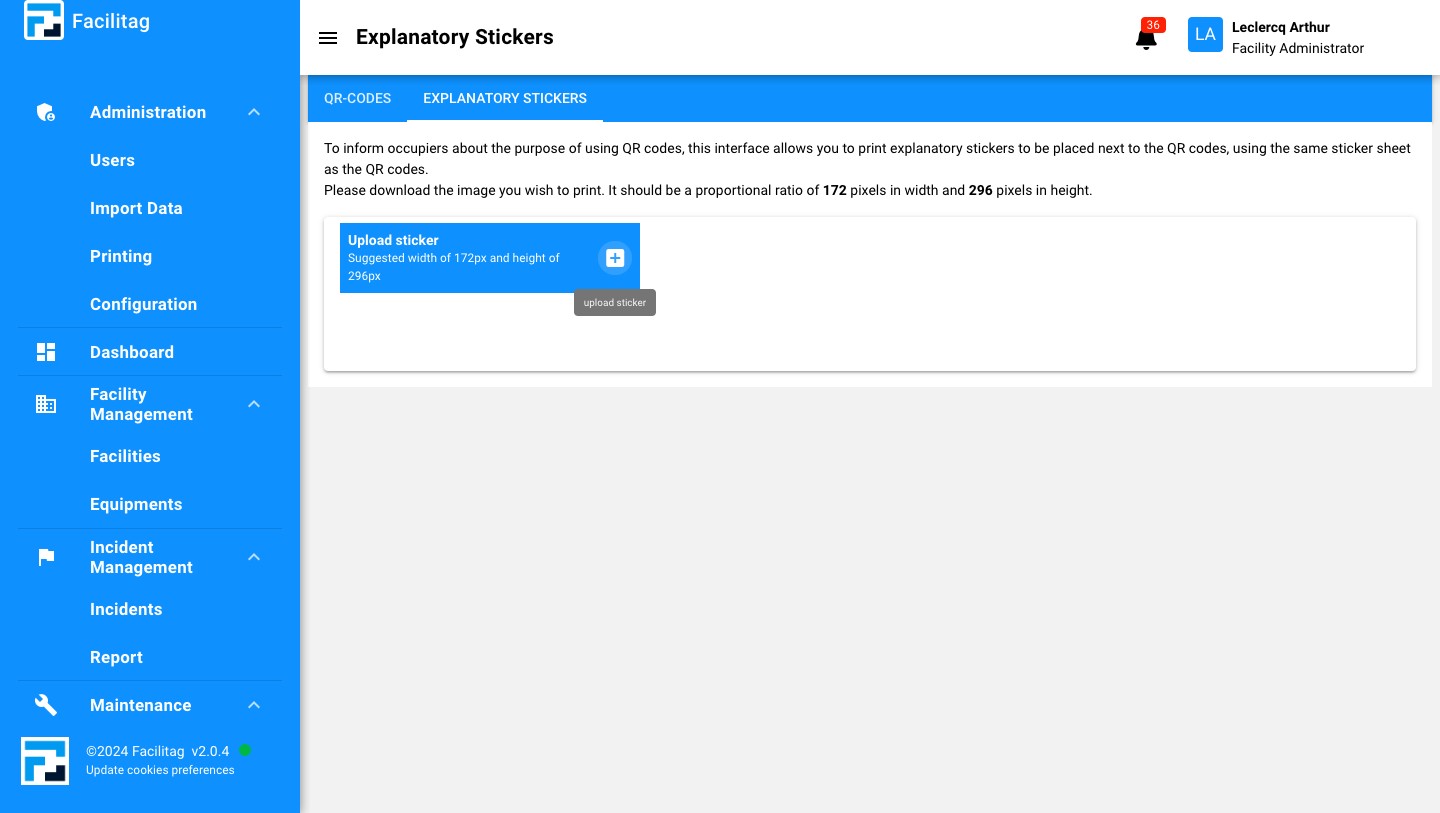
Click on this icon
4
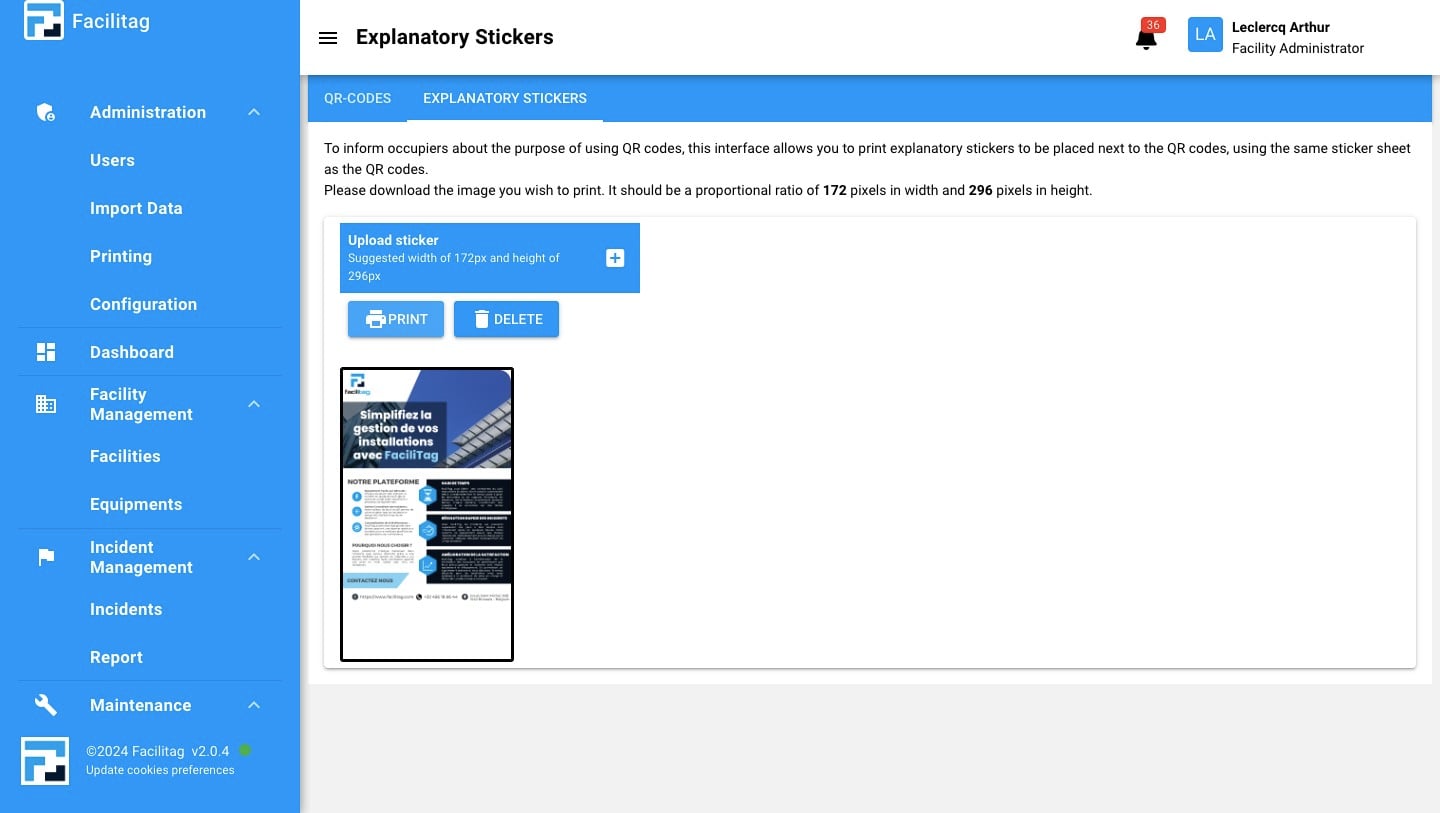
Choose a file, make sure that the file fits the size (172px x 296px)
5
Click on "Print"
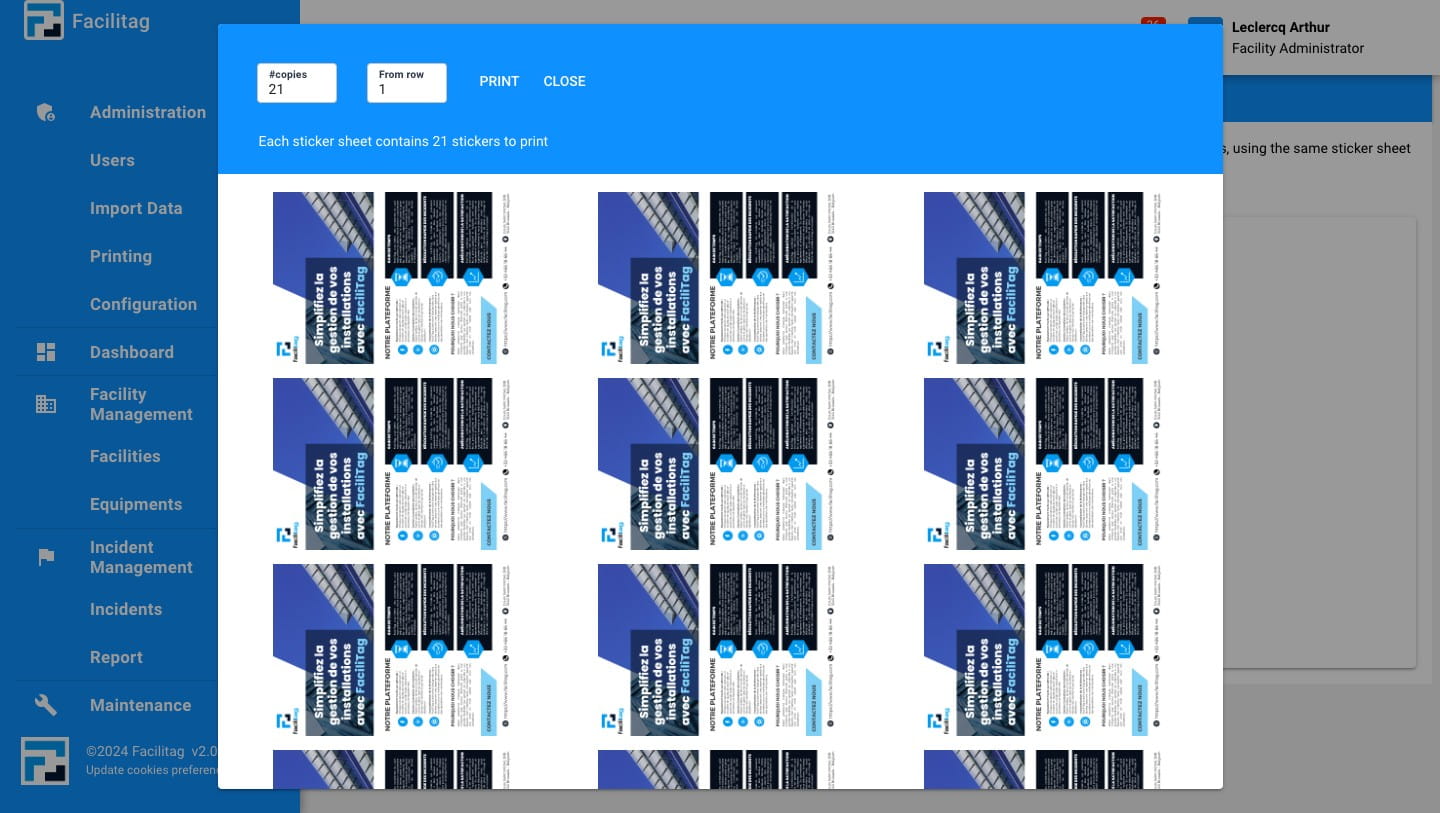
6
Done 🚀
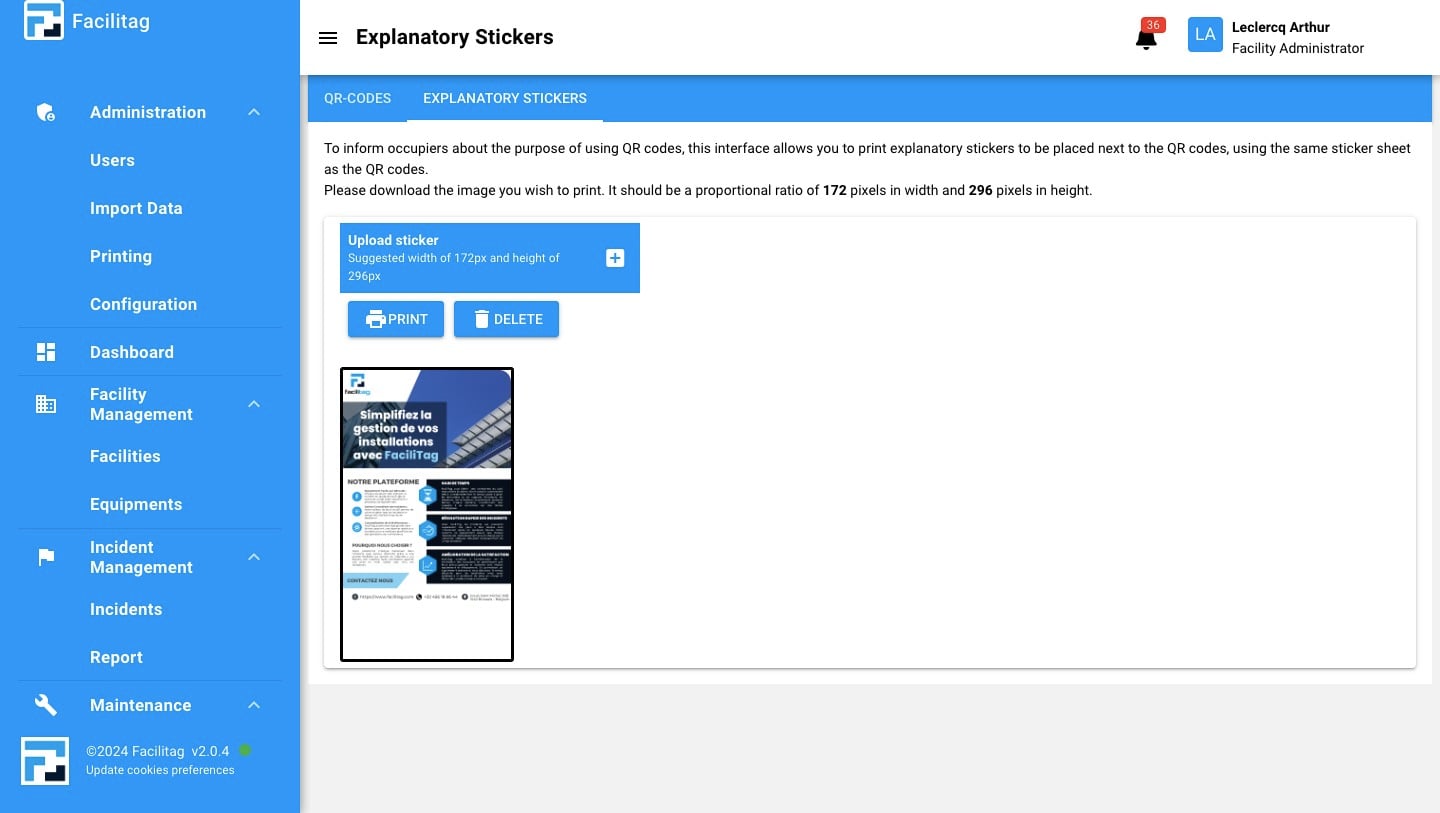
Click on "Printing"
Click on "Explanatory stickers"
Click on this icon
Choose a file, make sure that the file fits the size (172px x 296px)
Click on "Print"
Done 🚀